Import procedure for DarWin Root certificate (Microsoft Edge)
- Access the following URL,save the file on your PC, and then open it.
http://www.mitsubishi-elevator.net/cgi-bin/download-ca2016
(Depending on your Edge settings, your screen may look slightly different.)

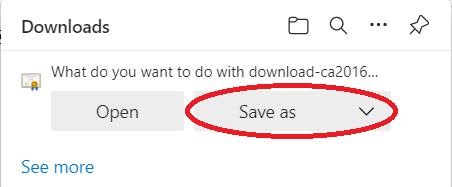

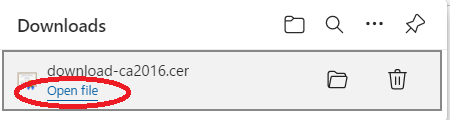
- Click [Open],If you get the security warning like the one below.
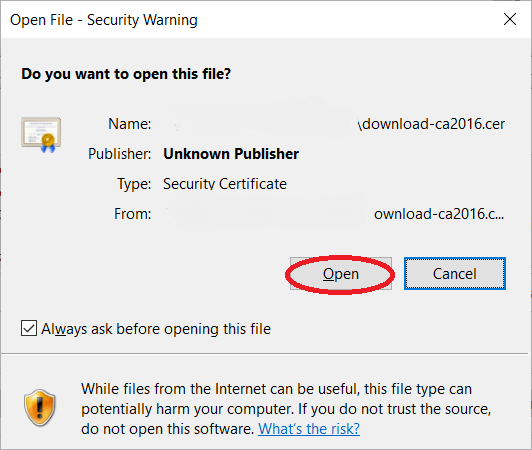
- Click [Install Certificate].

- Check [Local Machine], and click [Next].

- Check [Place all certificates in the following store], and click [Browse].

- Check [Trusted Root Certification Authorities], and click [OK].
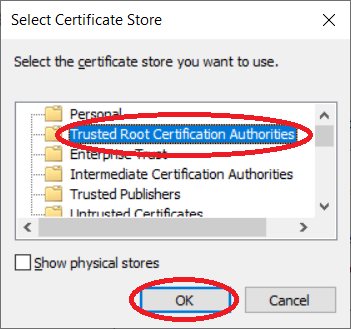
- Click [Next].

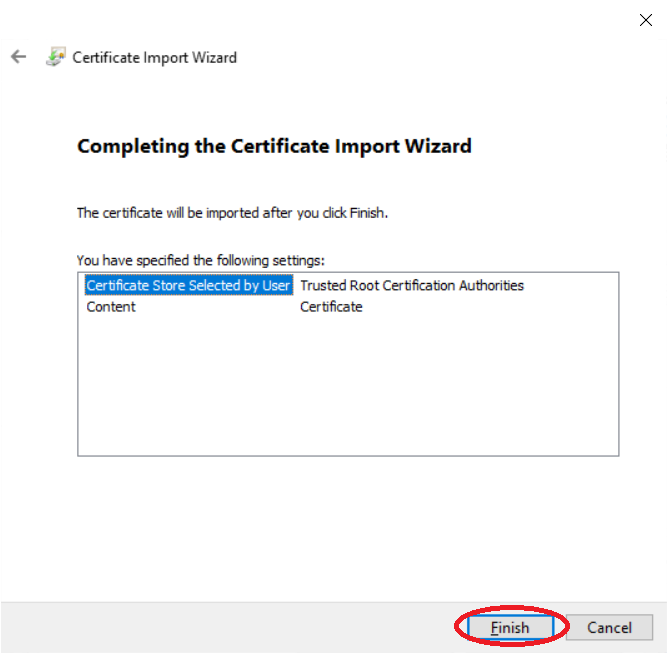
- Click [Finish].
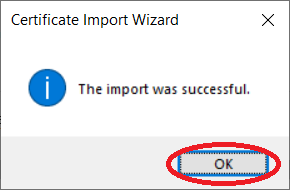
- Click [OK].
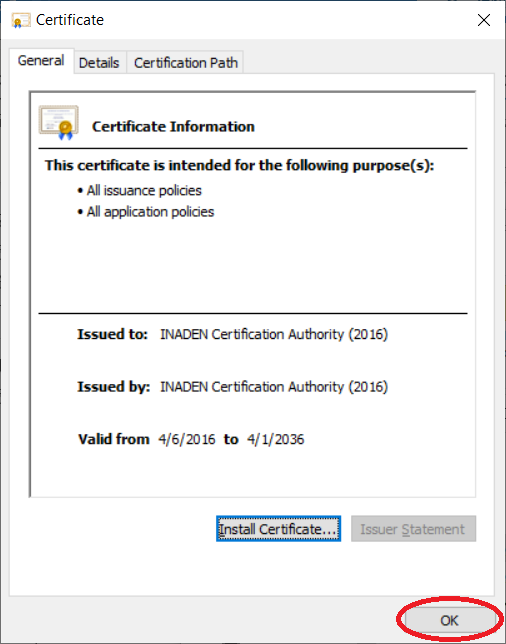
- Click [OK].(Procedure Completed)
Reference: Procedure for checking results
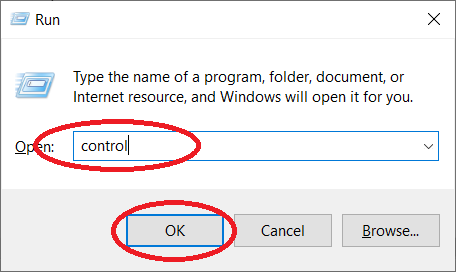
- Press the [Windows] key and the [R] key simultaneously on the keyboard, write "control" in the input field, and click [OK].
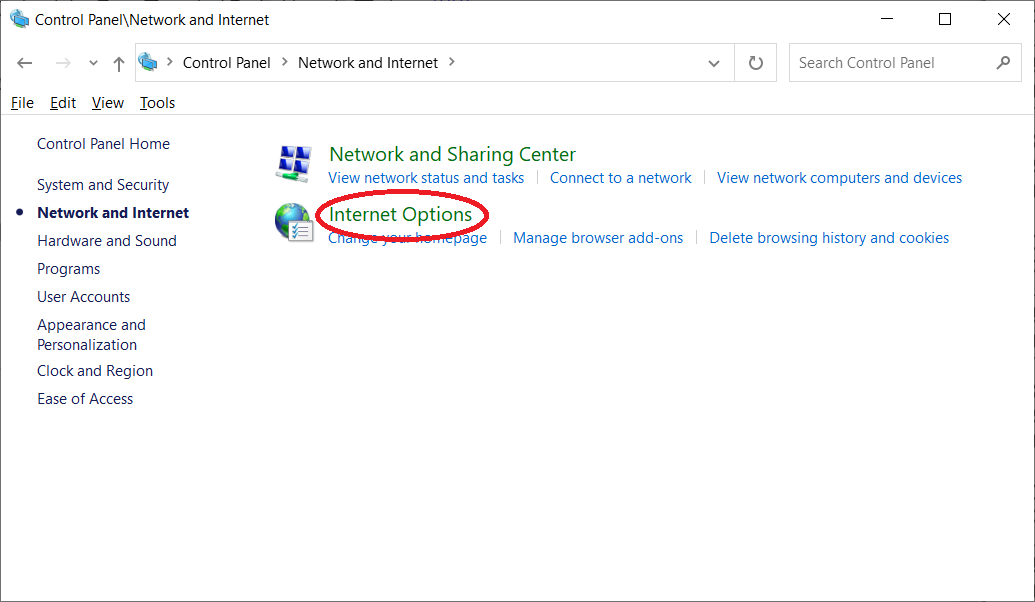
- Click [Network and Internet].

- Click [Internet Options].
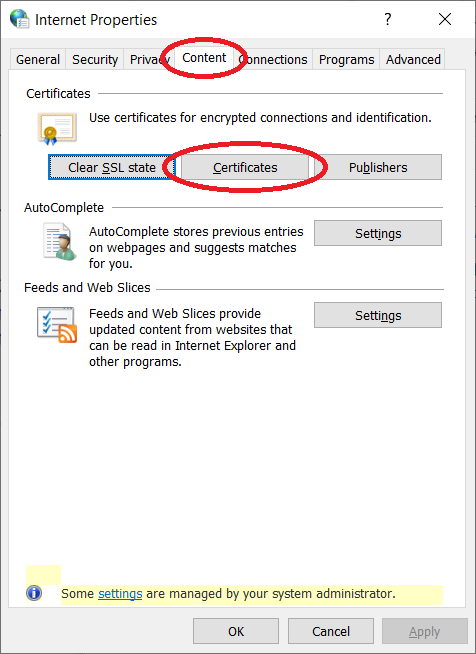
- Select [Content] and click [Certificates].
- Select [Trusted Root Certification Authorities] and verify that the following certificate is in the list.
- Issued by:INADEN Certification Authority (2016)
- Expiration Date:Future Date
